The Codex dashboard for macOS

Codex and Mac,
at a glance.

Codex usage and Mac system health in one compact, always-on dashboard.

Public release in progressExplore features
Personal · $12/year · 2-day full trial

macOS 15+ · Apple Silicon recommended

Live app interfaceReadings vary by device
codexbro dashboard showing Codex limits, token trends, CPU, GPU, memory, network, and storage

Codex and system health,
together.

Codex and Mac, one view.

01

Codex

Limits and tokens

Limits, prompts, tokens, and traffic.
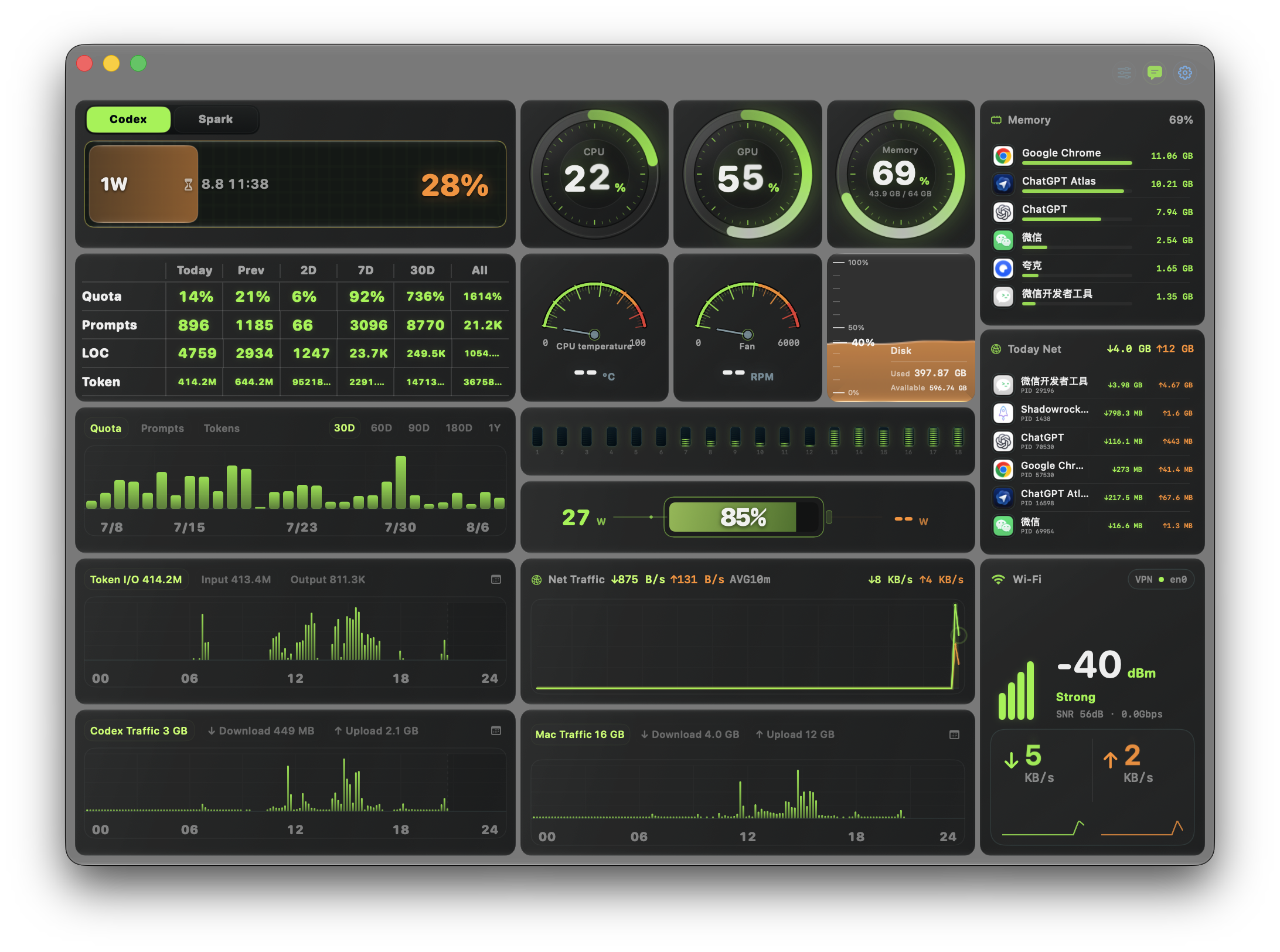

Codex limits and token statistics in the codexbro dashboard
5H / 1W
02

System

Mac system health

CPU, GPU, memory, storage, battery, and sensors.
CPU, GPU, memory, temperature, fan, and storage cards in codexbro
CPU / GPU
03

Trends

Network and processes

Live speed and per-process usage.
Network throughput and per-process activity in codexbro
↓ / ↑
04

Menu bar

Keep only what matters

Pick and reorder menu bar metrics.
Compact codexbro dashboard modules designed for persistent monitoring
Reorder

Only the on-device data needed for display.

codexbro reads local Codex statistics and system health. Limit data updates at a low frequency while visible system metrics are sampled continuously.

Data sources
Local ~/.codex statistics and system readings provided by macOS.
Local storage
Trend caches stay in the current user’s Application Support directory.
Network use
Monitoring data is not uploaded to codexbro servers; limit status depends on the current Codex sign-in and network.
Permissions
Core features need no administrator access; only advanced sensors require one explicit authorization.

Three steps to a desktop dashboard.

  1. 01

    Download and open the DMG

    Get the notarized installer from the official link below.

  2. 02

    Move it to Applications

    Launch codexbro and the dashboard reads available on-device data.

  3. 03

    Enable advanced sensors if needed

    Temperature, fans, and enhanced GPU/thermal status require the local Helper and one administrator authorization. Power appears when macOS exposes it.

First public release

Signing and Apple notarization are in progress. The version number will appear when the installer is ready.

Coming soonmacOS 15+
  • Codex

    Limits, prompts, lines of code, and token input/output in one place.

  • System

    CPU, GPU, memory, storage, battery, network, and process health.

  • Menu bar

    Choose and reorder persistent metrics, with optional launch at login.

  • Sensors

    An optional local Helper adds temperature, fans, and enhanced GPU/thermal readings.

Version, file size, and SHA-256 will be published with the final DMG.

Download codexbro

The installer opens only after signing, notarization, and Gatekeeper checks pass.

codexbro app icon
codexbroPublic release in progress
System
macOS 15+
File size
Security
Notarization in progress
SHA-256
Generated after notarization
Public release in progress